Beamline Operation
Beamline Operation
Safety Guidelines for Beamline Operation
IMPORTANT: Users must be aware of local restrictions before using BL2.2.
All users must strictly comply with the safety regulations and operational procedures of the Synchrotron Light Research Institute (SLRI). Operation of Beamline 2.2 (BL2.2) is permitted only for trained and authorized personnel.
- Only users who have received authorization from the beamline scientist or safety officer are allowed to operate the beamline. The user must sign the SOP form before performing experiments at BL2.2.
- Users must wear the provided OSL radiation badges (Optically Stimulated Luminescence dosimeters) at all times within the experimental hall.
- Entry to the experimental area is strictly prohibited during beam injection or operation.
- Any malfunction or abnormal condition related to radiation safety must be reported immediately to the beamline staff.
- Food and beverages are not permitted inside the beamline station.
- Users must maintain a clean and organized work area throughout the experiment.
- At the conclusion of beamtime, all personal materials and samples must be removed, and the beamline area must be cleaned and restored to its original condition.
Personnel Safety Interlock (PSI) System
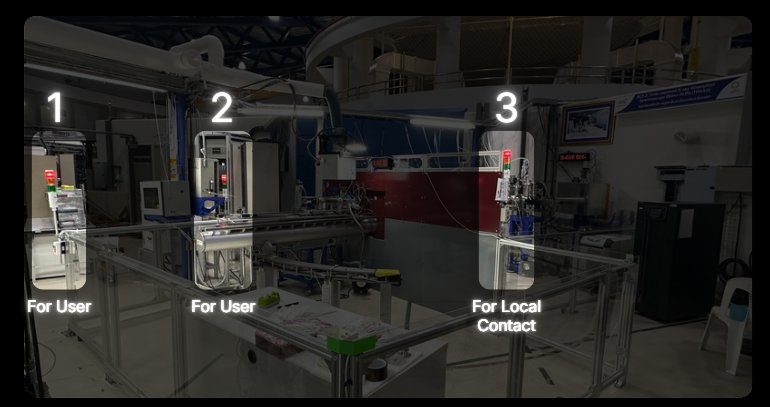
PSI System protects workers from immediate radiation by preventing them from accessing beam enclosures and other locations where there is a risk of high radiation exposure. It consists of mechanical barriers and locks as well as electronic interlocks. The interlocks also serve to turn off the radiation source if any of the interlocked barriers entering the beam enclosures are broken.
Closing the Hutch Door
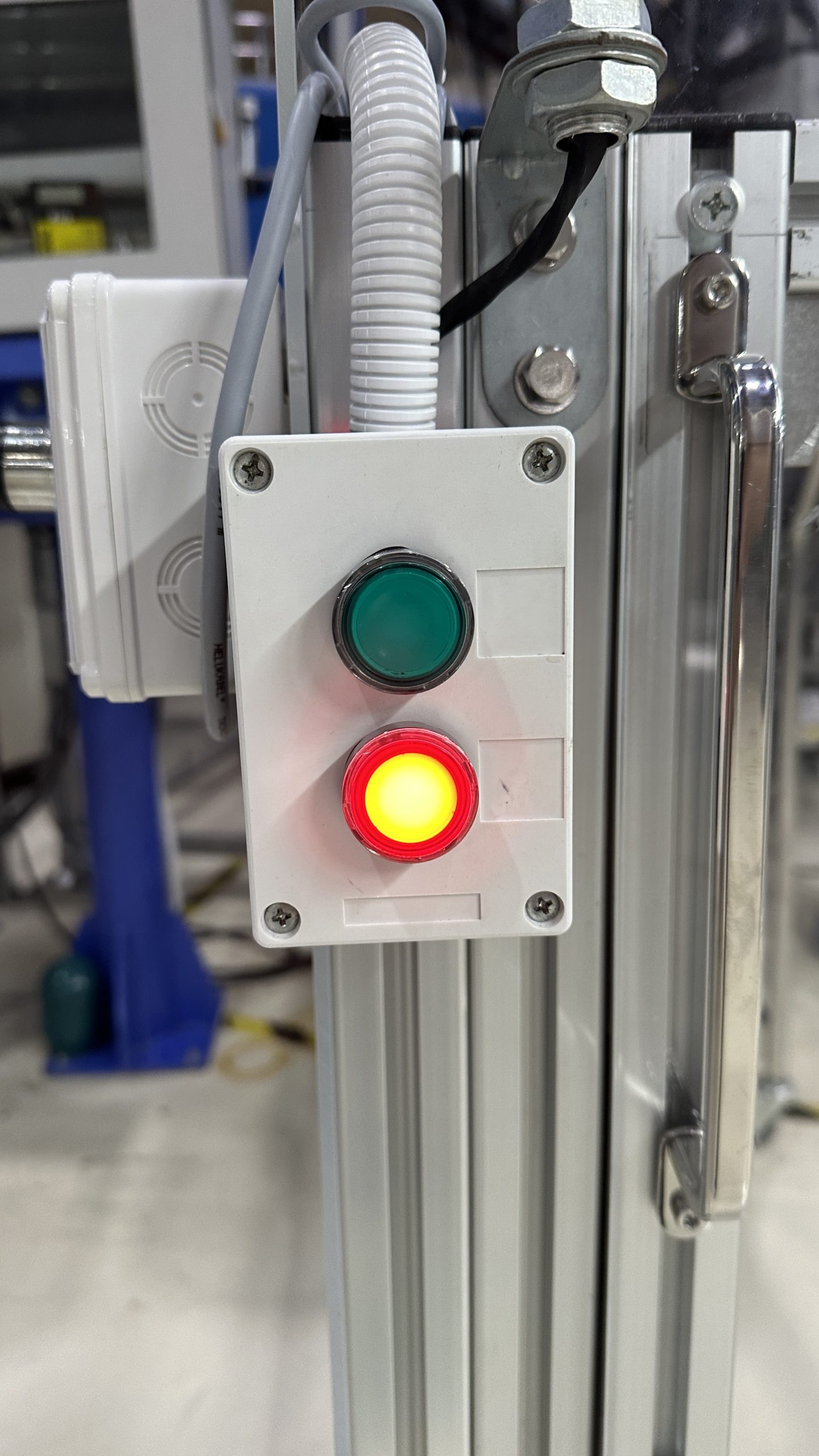
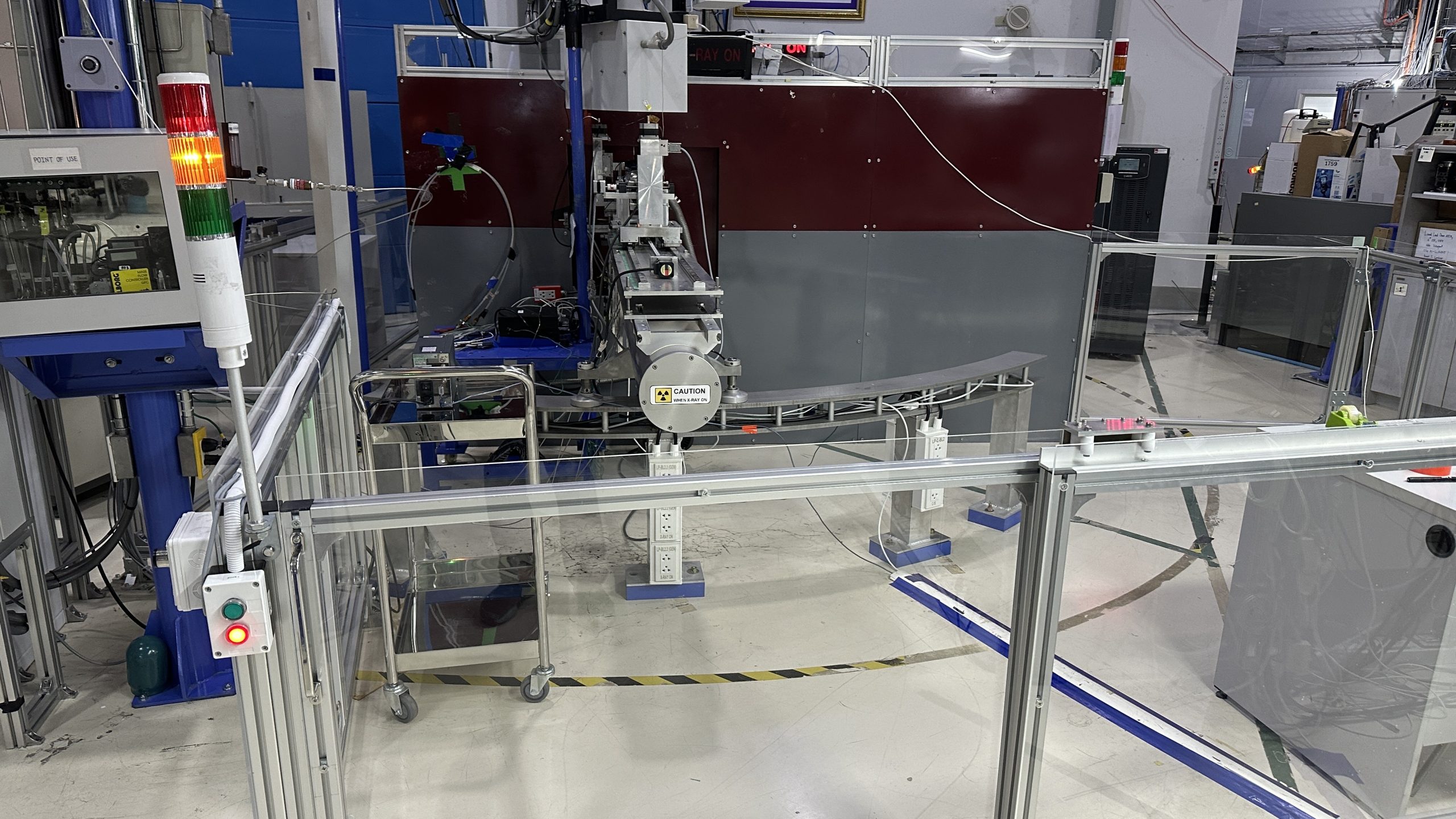
- Press the red button, then slide the door closed. The tower light will change from green to yellow.*
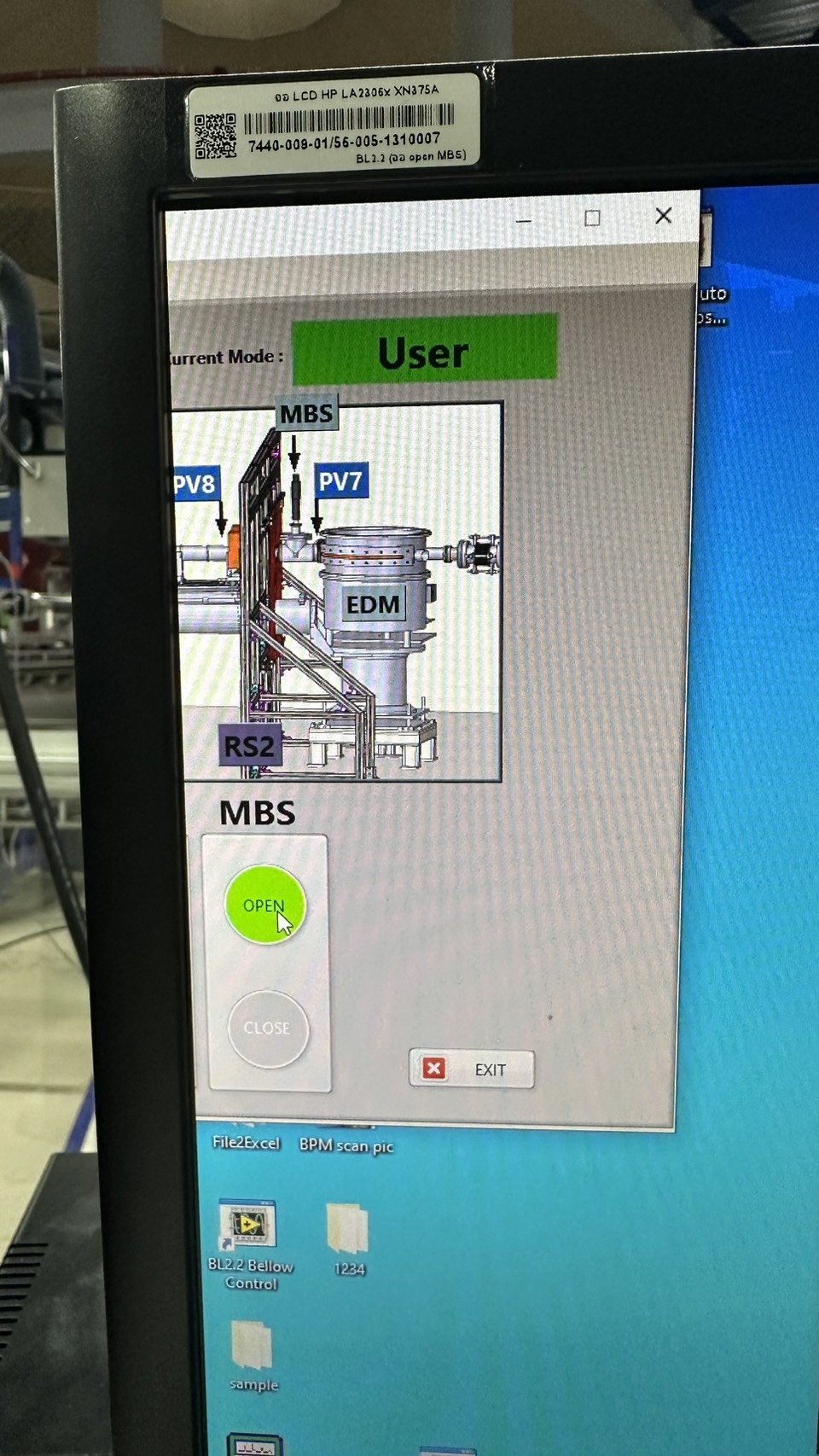
- Open the shutters at positions MBS in the Interlock Beamline 2.2 program.
- Once the shutter is opened, the tower light will change from yellow to red, indicating that the area is restricted.
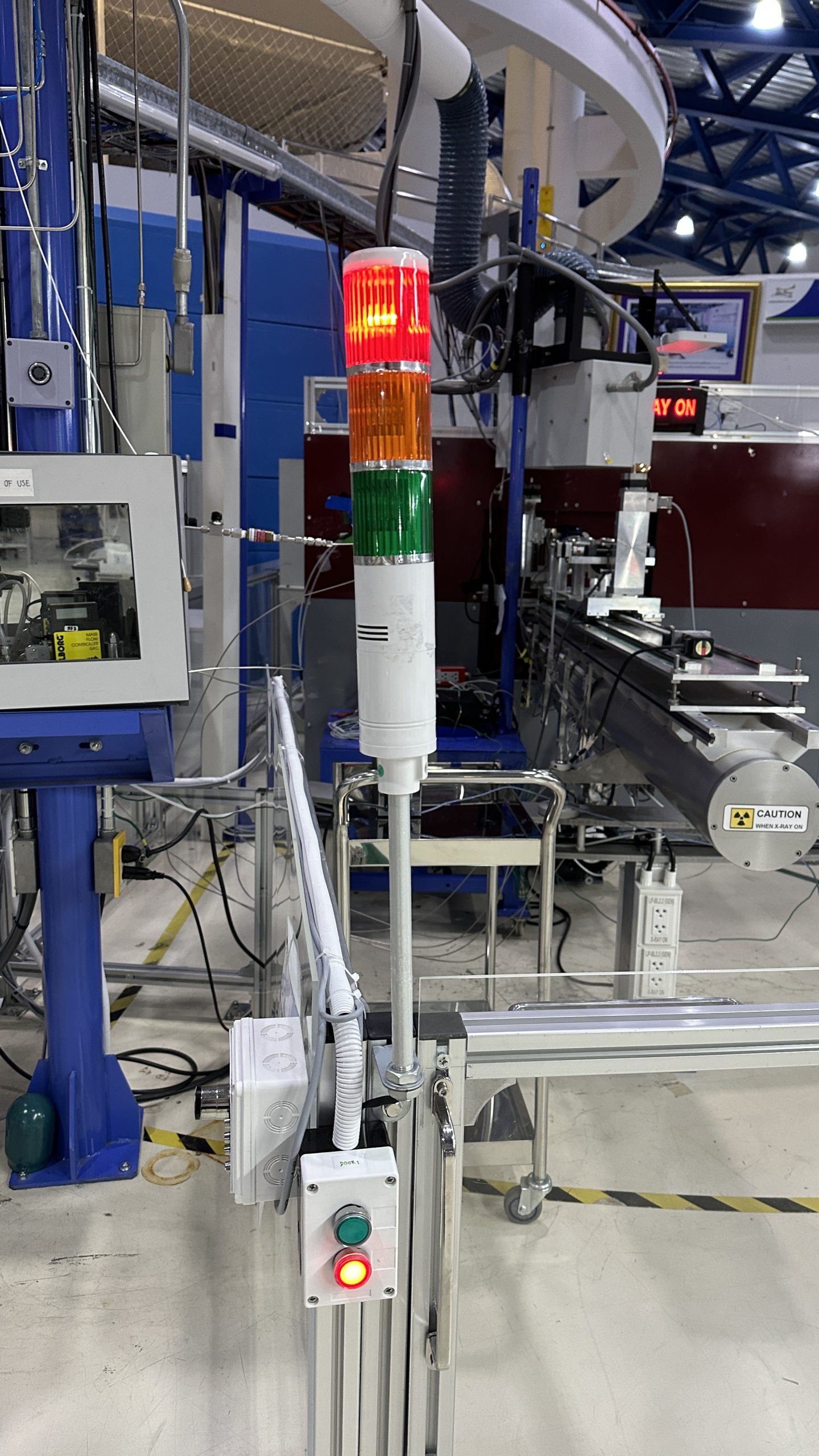
*Note: If the light does not turn yellow, it indicates that the magnetic sensors on the door are not aligned.
Solution: Press the green button, slightly slide the door open, and repeat Step 1.
Solution: Press the green button, slightly slide the door open, and repeat Step 1.
Opening the Hutch Door
- Close the MBS shutters in the Interlock Beamline 2.2 program.
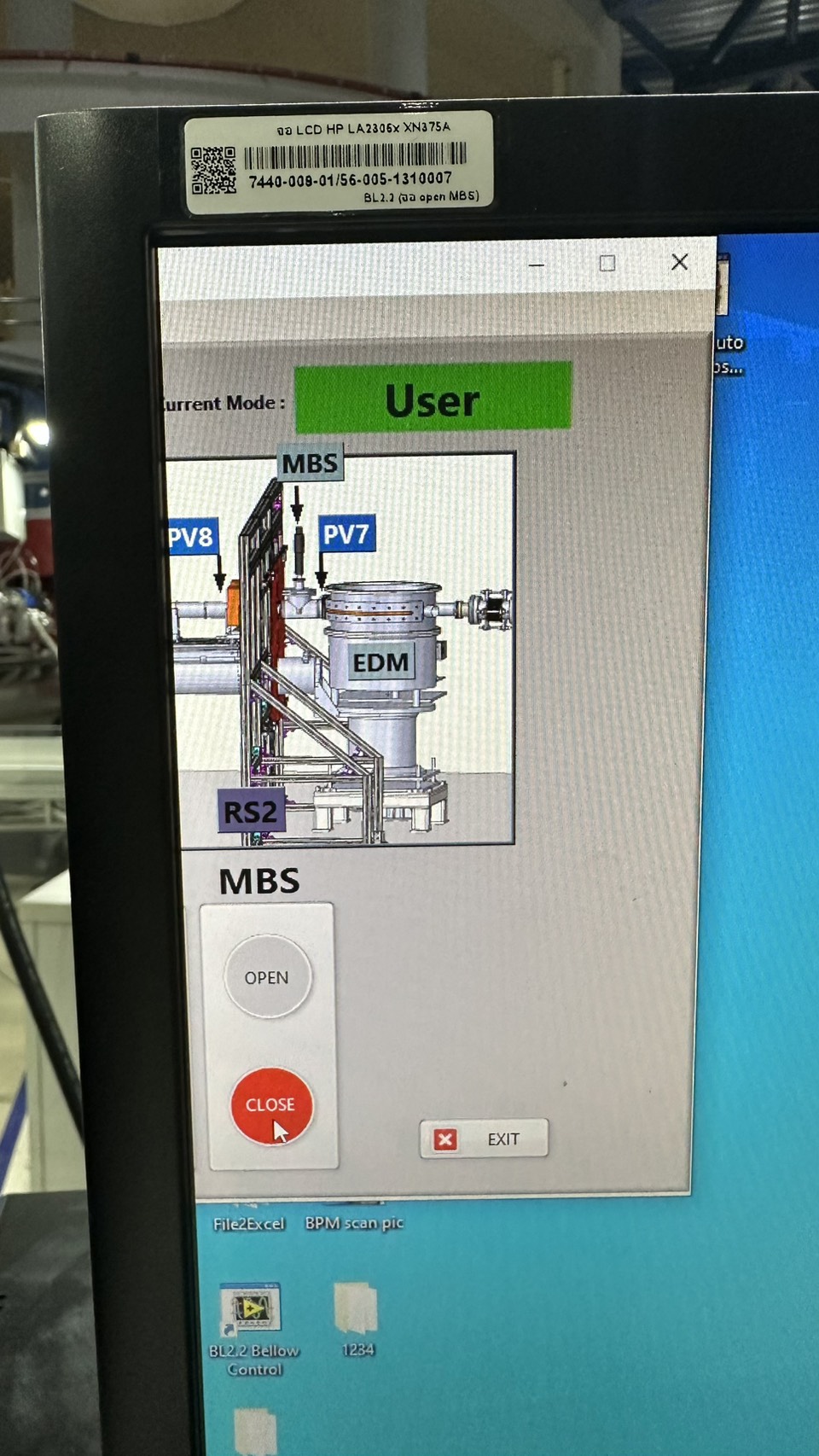
- The tower light will change from red to yellow.
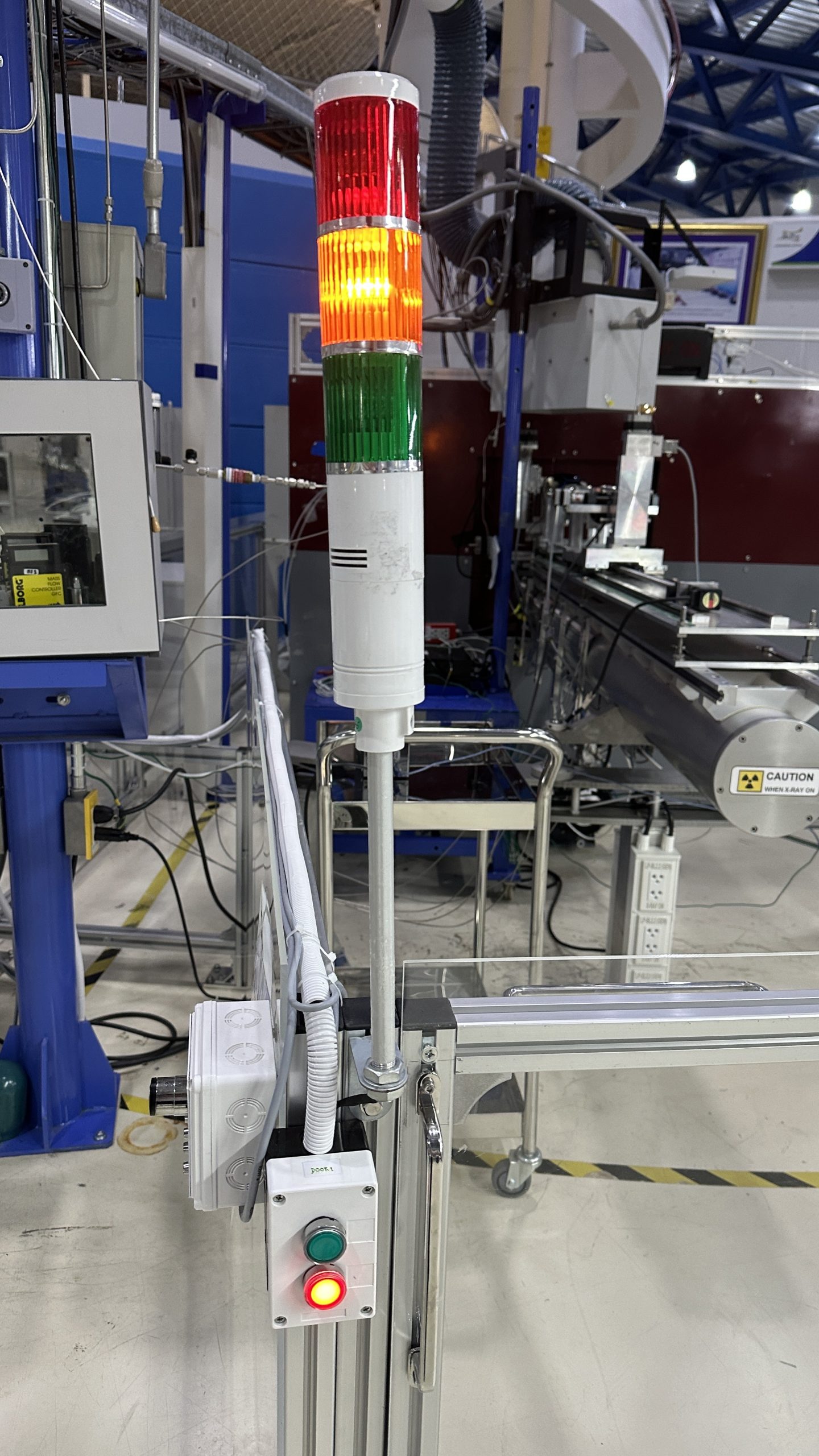
- Walk to the door control panel and press the green button to unlock the door. The tower light will change from yellow to green. Then slide the door open and enter the experimental area.